Editor for Windows
 Cellmark Editor
A free Markdown editor for Windows with support for merged cells and multi-row headers.
A download link will be added when the Microsoft Store version is available.
If that doesn’t work either, contact us at contact@eurekax.co.
Key features
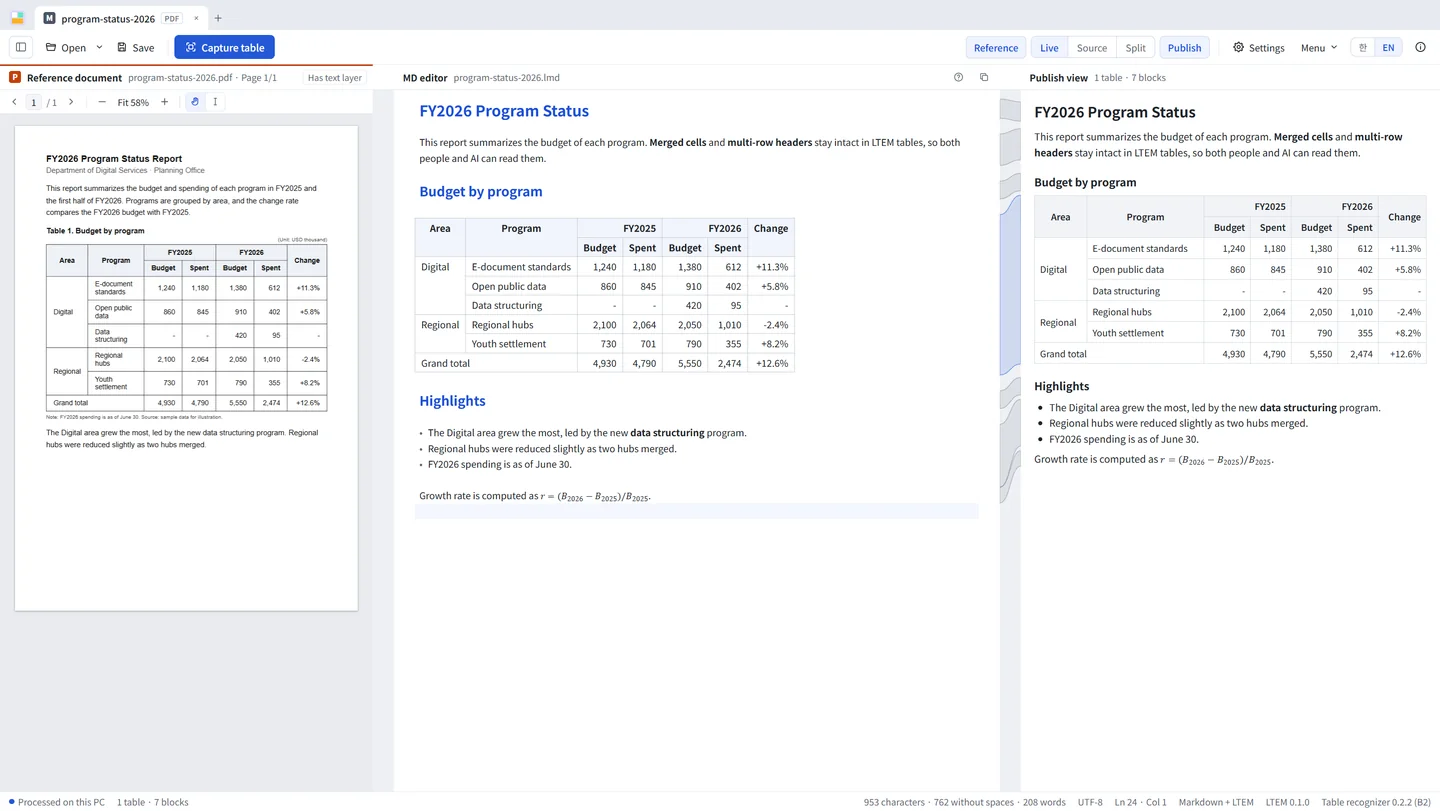
01 · Capture a table
Turn a PDF table into a table you can edit
Capture a table on your screen. Offline AI on your PC recognizes merged cells and headers and converts it into an editable table.

02 · Edit a table
Edit tables as you would in a spreadsheet
Select cells to merge or split them, and add rows and columns directly in the table. No table syntax to learn.

03 · View the document
One document, four views

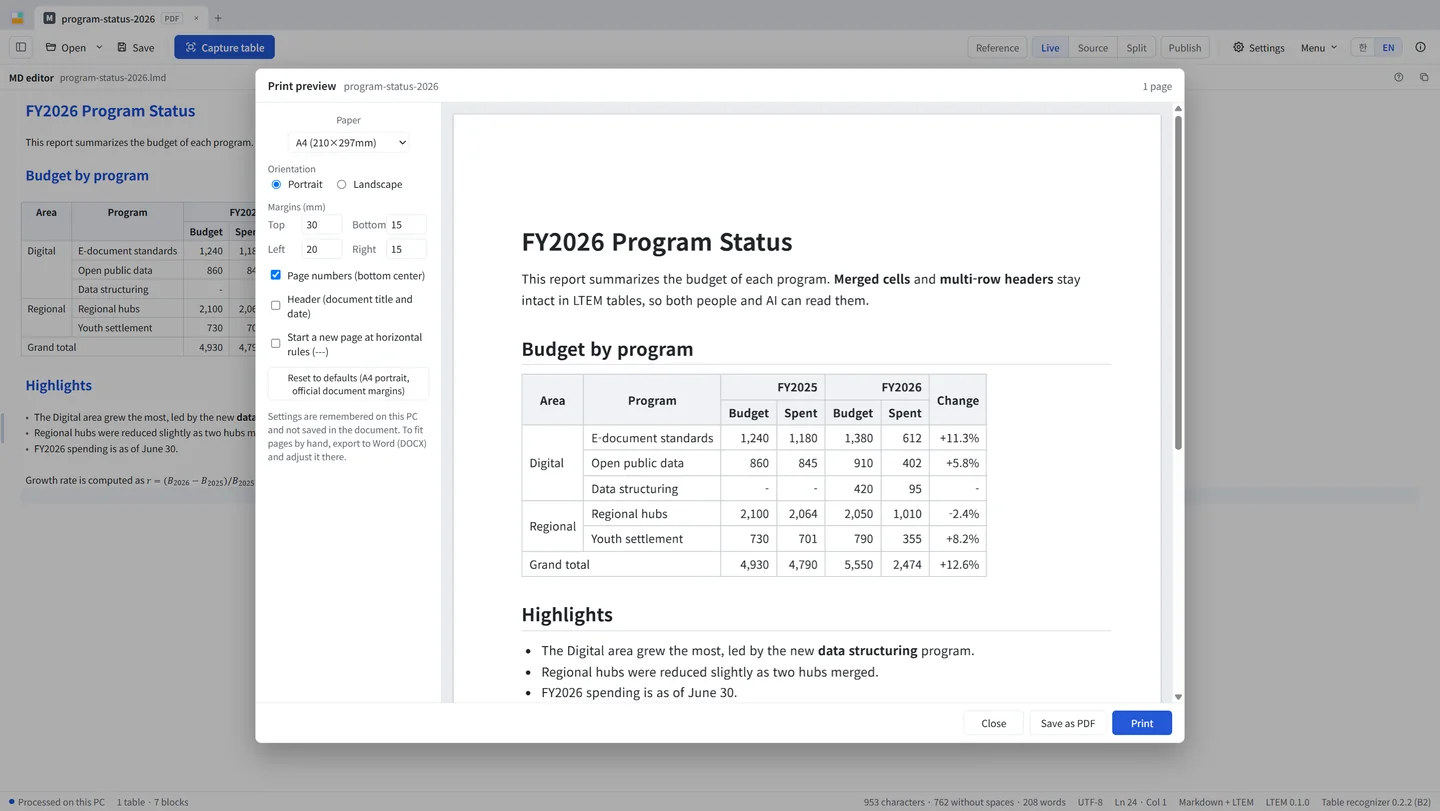
Switch between Source, Split, Live, and Publish views in one click. Source shows the LTEM text; Publish shows how the document will look in print.
04 · Print and export
Print and export
Export documents to PDF, HTML, or DOCX with table structure preserved.
Installation
Install Cellmark Editor
- Download the installer Use the download button on this page to get
Cellmark-Editor-Setup-<version>.exe. - Windows security notice You may see “Windows protected your PC” during installation. The installer uses a self-signed certificate in the name of EurekaAI Co., Ltd.
- To continue installation, select “More info”, then “Run anyway”.
- Verify the installer Compare the file's SHA-256 checksum and certificate fingerprint with those on the downloads page.
Install in an offline environment
Installers for recent versions are on the downloads page, and earlier versions are on GitHub. Transfer the installer to the offline environment to install it. Unmodified installers may be redistributed, including by your IT department.
Privacy
Your documents never leave your PC.
Cellmark Editor does not send your documents or usage data. To check for updates, it downloads a small information file from eurekax.co.